Why Teachers Love TeachRealMath
A powerful tool for busy classrooms, designed to save time, boost engagement, and support every learner - even when you're not in the room.
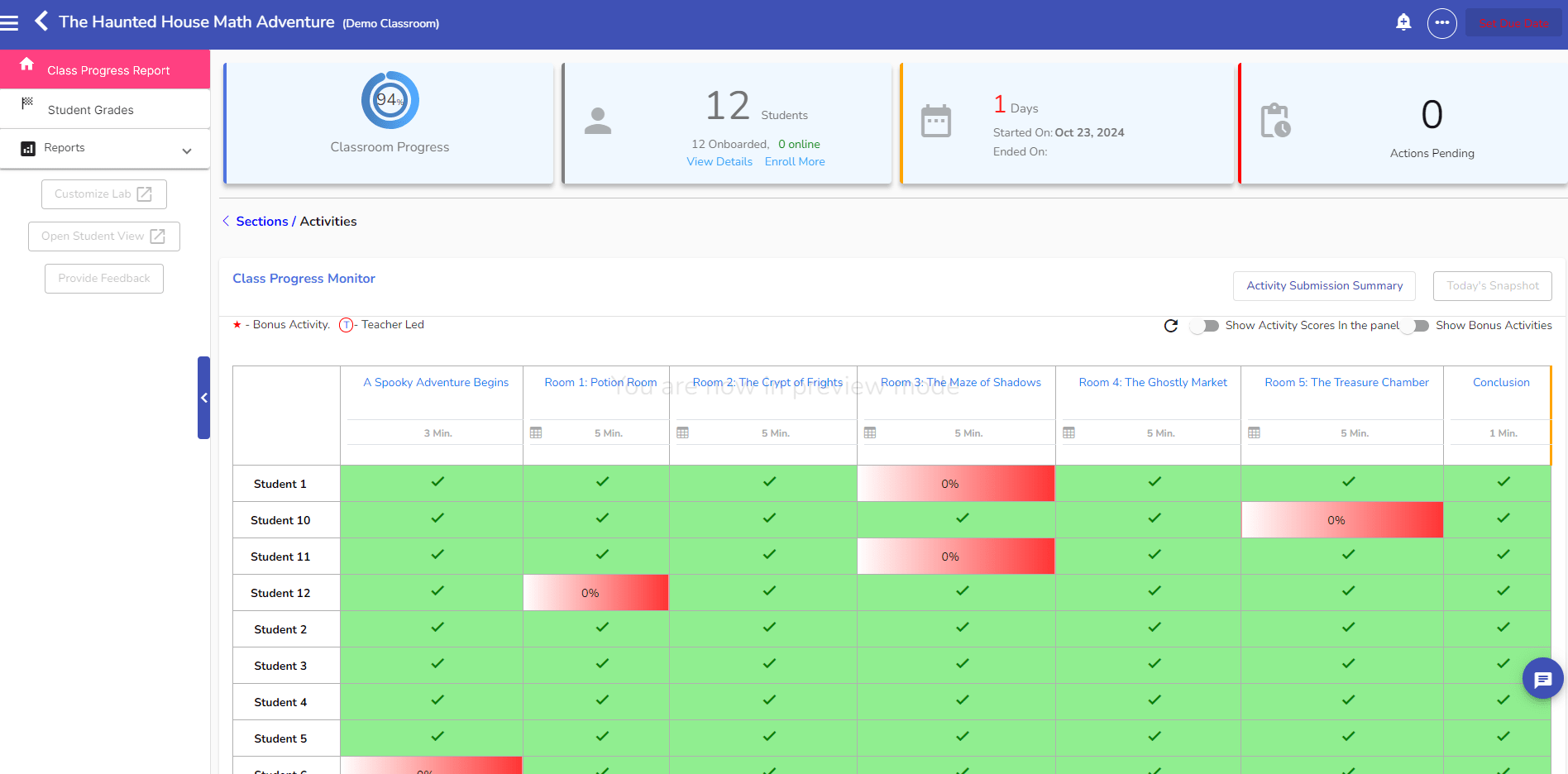
Real-Time Student Tracking
Instantly see who’s on track and who’s stuck. The teacher dashboard gives you real insights - no more guessing.
Auto-Graded, Ready-to-Use Activities
Save hours of grading every week with worksheets and projects that auto-grade as students work.
Versatile Activities for Any Teaching Moment
Use activities as bell ringers, homework, classroom work, competitions, projects, and more. One resource, endless possibilities.
Real-World Math That Actually Makes Sense to Students
From calculating concrete for a floor plan to analyzing car loan payments - math finally feels relevant.
Perfect for Sub Plans
Assign any worksheet or project with a click - no additional instructions needed. Your students stay productive and engaged even when you’re away.
Engaging Competitions for the Whole Class
Run timed math challenges with leaderboards, team play, and randomized problem sets. Great for review days and classroom energy boosts.
Built by Teachers, for Teachers
Every activity is designed by educators who know what works - in real classrooms, with real students.
Aligned to Standards You Already Teach
Every worksheet and project is aligned to Common Core and organized by grade level and topic.
Optional Randomization Prevents Cheating
Enable randomization to give each student unique values and problems. Teachers control when to use it - perfect for homework or independent practice.
What’s Inside TeachRealMath
A growing library of auto-graded, real-world math activities designed to bring middle school standards to life - with 6th and 8th grade content coming soon.
1. Real-World Math Projects
Multi-step simulations where students apply middle school math to solve real-life challenges - from managing home renovations to analyzing loan payments.
- Geometry & Measurement: Estimate flooring, paint, concrete, and baseboards for a house layout
- Ratios & Proportions: Adjust recipes, compare product prices, scale dimensions
- Expressions & Equations: Calculate interest on car loans and interpret linear equations
- Auto-graded and scenario-based
- Built around practical, relatable tasks
- Excellent for end-of-topic projects and deeper learning
2. Auto-Graded Worksheets: Skill Mastery & Real-Life Practice
Interactive worksheets aligned to middle school Common Core standards. Each worksheet focuses on a specific skill or applies it in a real-world context. Students receive instant feedback, and every worksheet is randomized per student to discourage copying.
- Daily practice
- Homework
- Warm-ups or exit tickets
- Sub plans
3. Competitive Classroom Labs
Team-based simulations that turn math into a collaborative, fast-paced challenge. Designed to reinforce middle school skills through gameplay and decision-making.
- Pizza Night Challenge: Fairly divide a bill based on how much each person ate (ratios & fractions)
- Industry Inc.: Use production ratios to run a virtual car factory and maximize profit
- School Store Simulation: Analyze product data and pricing to succeed in a virtual store competition
- Live leaderboards and team play
- Timed challenges that promote speed + accuracy
- Great for review days or classroom competitions
Here’s How It Works
Step 1: Create Your Teacher Account

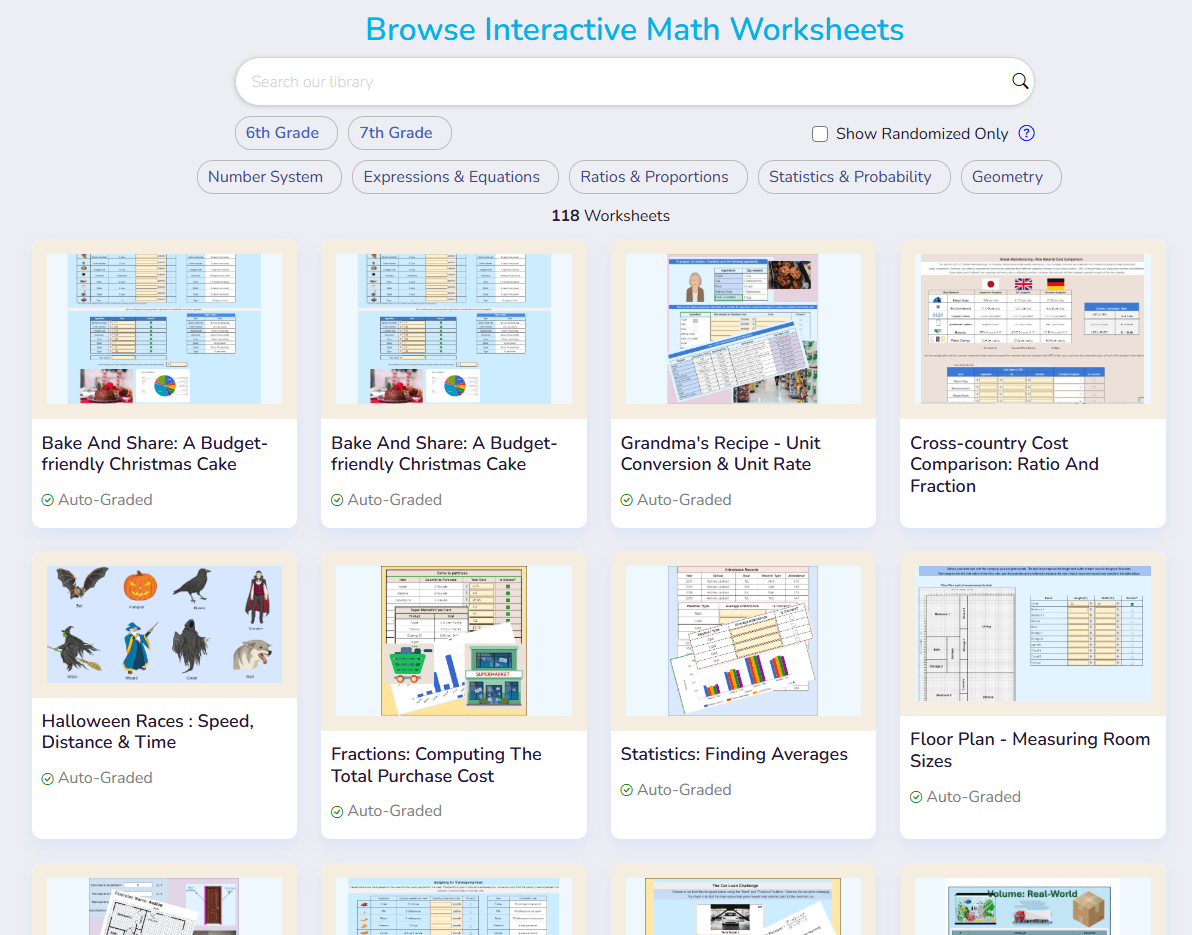
Step 2: Browse and Assign Activities
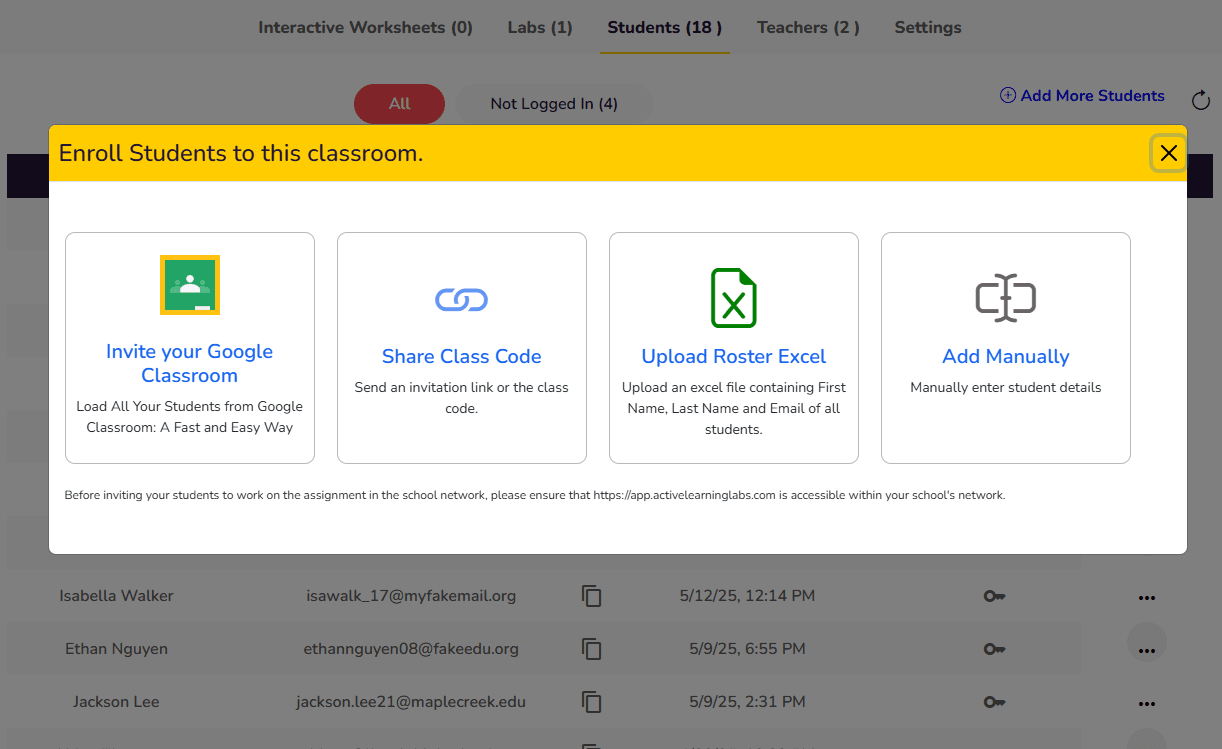
Step 3: Enroll Your Students Easily
Step 4: Track Student Progress Instantly
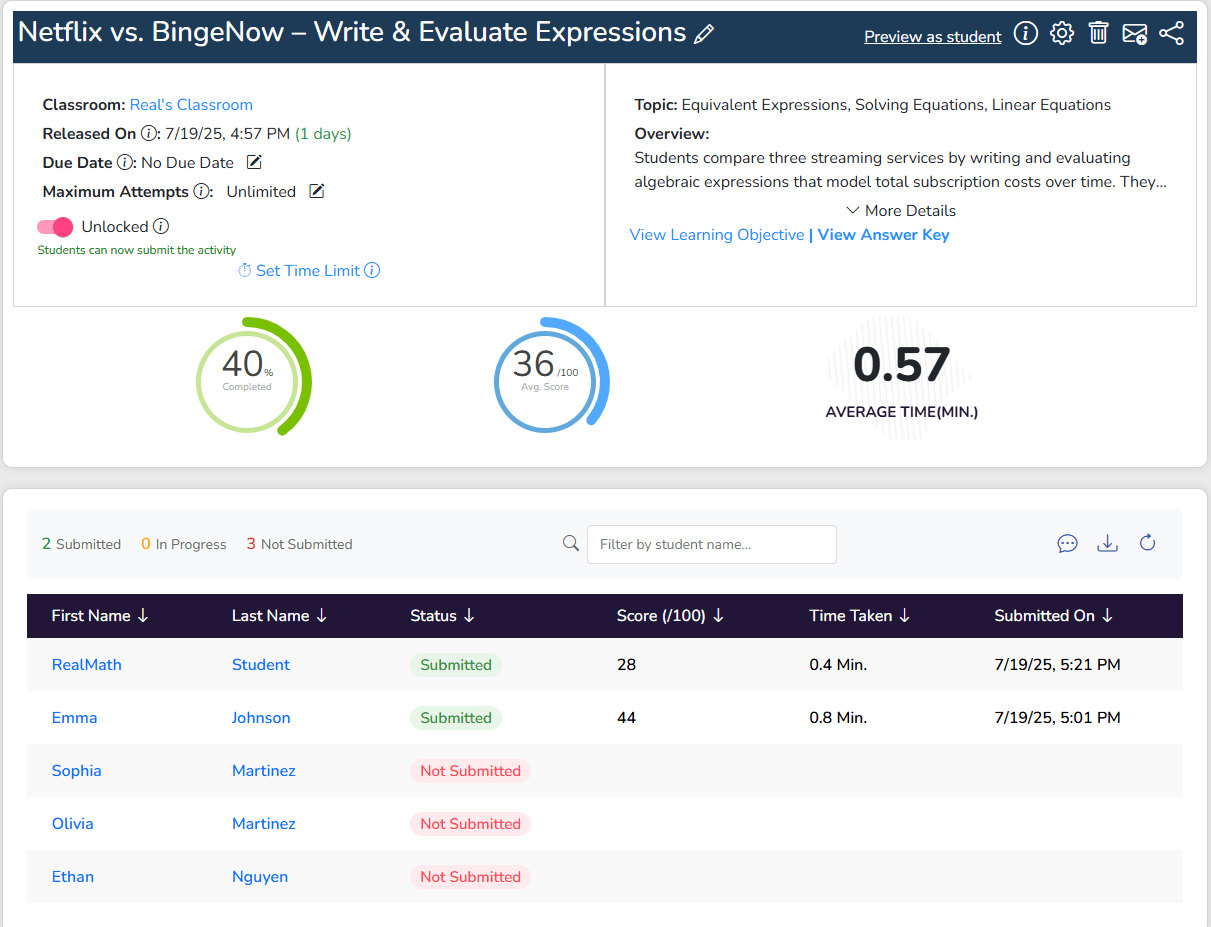
Step 5: Mastery Dashboard for Your Class